

Cameras
The camera device type — which integrations provide cameras, the capabilities a camera can carry, its hero card, and where its type-specific settings are documented.
A camera is the one device type Dominevo builds everything else around: live video, detection, recording and events. This page summarises the type; each heading points to where the detail lives.
Provided by
| Route | Integrations | What you get |
|---|---|---|
| Vendor integration | Reolink, Hikvision, Amcrest / Dahua, Wyze | The most: the camera's own motion zones, privacy masks, image settings, recording on the camera, stream settings |
| ONVIF | Any ONVIF camera | Streams and PTZ where the camera exposes them |
| RTSP | Any camera with an RTSP URL | Video only |
| Home Assistant | Camera entities from your HA | Video, through HA |
How to choose between them is in Adding cameras.
Capabilities
The capabilities a camera can carry depend on its integration. The set below is what the vendor integrations register for a camera:
| Capability | What it gives you |
|---|---|
| Streams | The camera's stream profiles, listed in Streams |
| Motion | The camera's own motion state |
| Stream parameters | Resolution, bitrate and frame rate, where the camera allows it |
| Image settings | Brightness, contrast and similar, on the camera |
| Day / night | Day and night mode switching |
| Motion zones, Privacy mask | Zones drawn on the camera itself |
| Onboard recording, Video clips | Recording stored on the camera and its clip list |
| PTZ, PTZ autotrack | Pan, tilt and zoom, and the camera's subject-following |
| Reboot | Restart from Dominevo |
| Intercom, Doorbell | Two-way audio and a press signal, where the camera has them |
| Device status | Online or offline |
Not every integration offers every row. A Reolink camera, for example, has motion zones and privacy masks; a plain RTSP camera has none of these.
Features a camera can be flagged with, and that decide which controls show, include battery-operated, rebootable, native snapshot, doorbell button, two-way audio, pan / tilt / zoom and autotrack. They appear as chips next to the camera's name.
The hero card
A camera's hero card is the live player: Play, Snapshot and Intercom (when the camera supports two-way audio) above the picture, and a ⋯ menu for more.
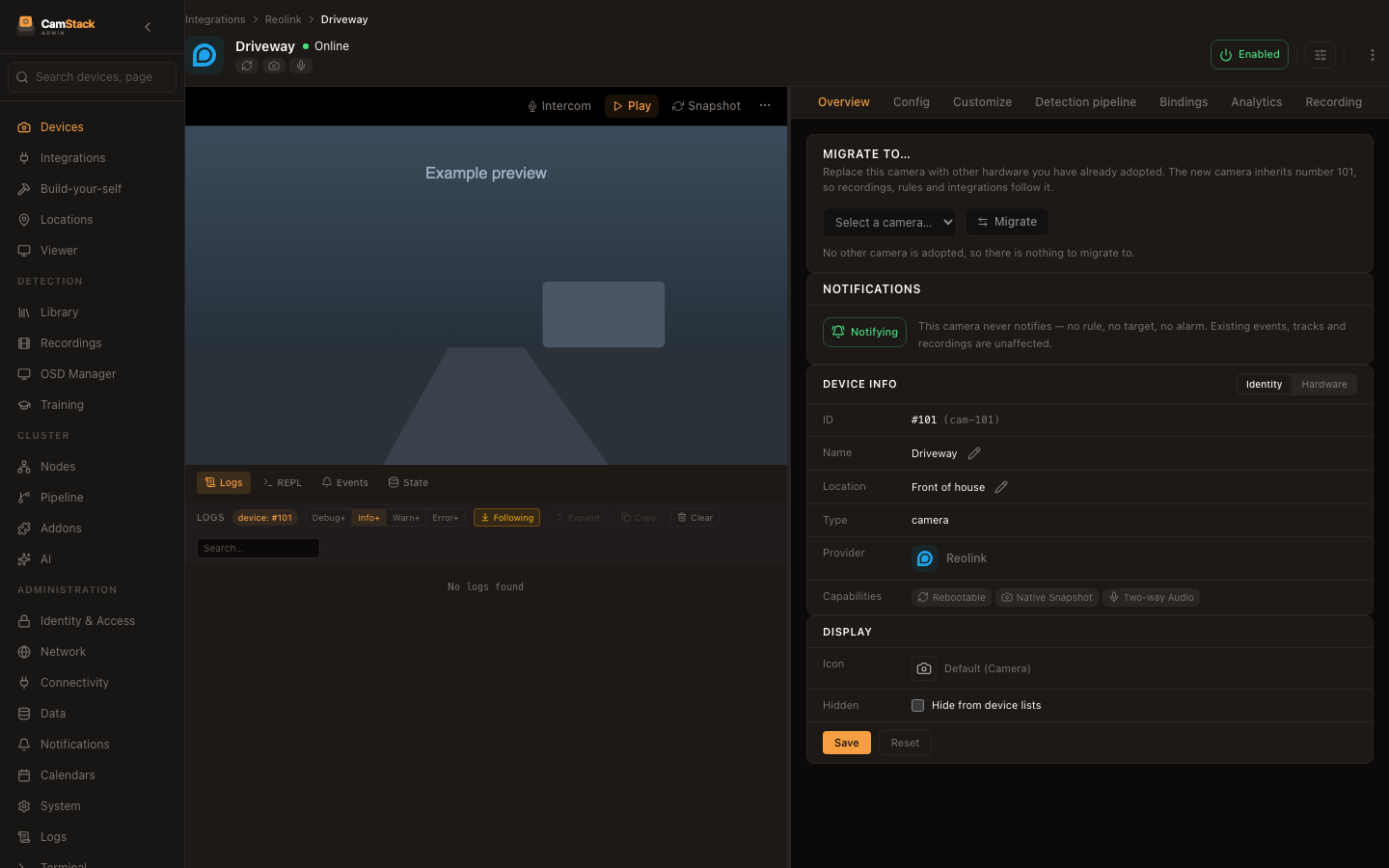
The player, the header chips and every tab are described in The camera page.
Accessories: lights and sirens
A camera with a floodlight, spotlight or siren (Reolink, Hikvision) gets each as its own device beside it, of type Light or Siren. Each has its own on/off and, where the firmware supports it, a Trigger on motion switch.
Customisations for this type
A camera has the richest set of type-specific settings:
| Where | What |
|---|---|
| Config | The settings the integration derives from the camera's capabilities: image, motion, snapshot, streaming, battery refresh |
| Detection pipeline | What runs on each frame and how detections are tracked |
| Recording | Mode, schedule, buffers |
| Customize | Motion from attached sensors, doorbell sources, battery, consumables, power source, numeric transforms, linked devices |
| Bindings | Which provider serves each capability of the camera |
The Customize extensions a camera is offered are Motion, Doorbell, Battery and Power source, each only when the camera does not already provide it natively.
Then
- Camera settings, the page for every tab
- Recording and Detection
- Value history, where a camera's motion, audio and occupancy appear on its Live Stats tab
Overview
Every device type Dominevo supports, which integrations provide each one, what its page lets you do, and where its type-specific settings live.
Lights, switches and sirens
The light, switch and siren device types — which integrations provide them, what the hero card controls, and the settings specific to each.