

Lights, switches and sirens
The light, switch and siren device types — which integrations provide them, what the hero card controls, and the settings specific to each.
Lights, switches and sirens are the devices you turn on and off. They share the switch capability; a light adds brightness and colour on top.
Light
A light is anything that gives light and can be switched: a lamp, a bulb, a strip, or a camera's floodlight.
Provided by: Home Assistant, Homematic, ESPHome, MQTT discovery, and the camera integrations Hikvision and Reolink for a camera's built-in lights.
Capabilities: Switch (on or off), Brightness (a level from 0 to 100) where the light dims, Color (colour or colour temperature) where it supports it, Device status (online or offline). A camera light can also carry Trigger on motion.
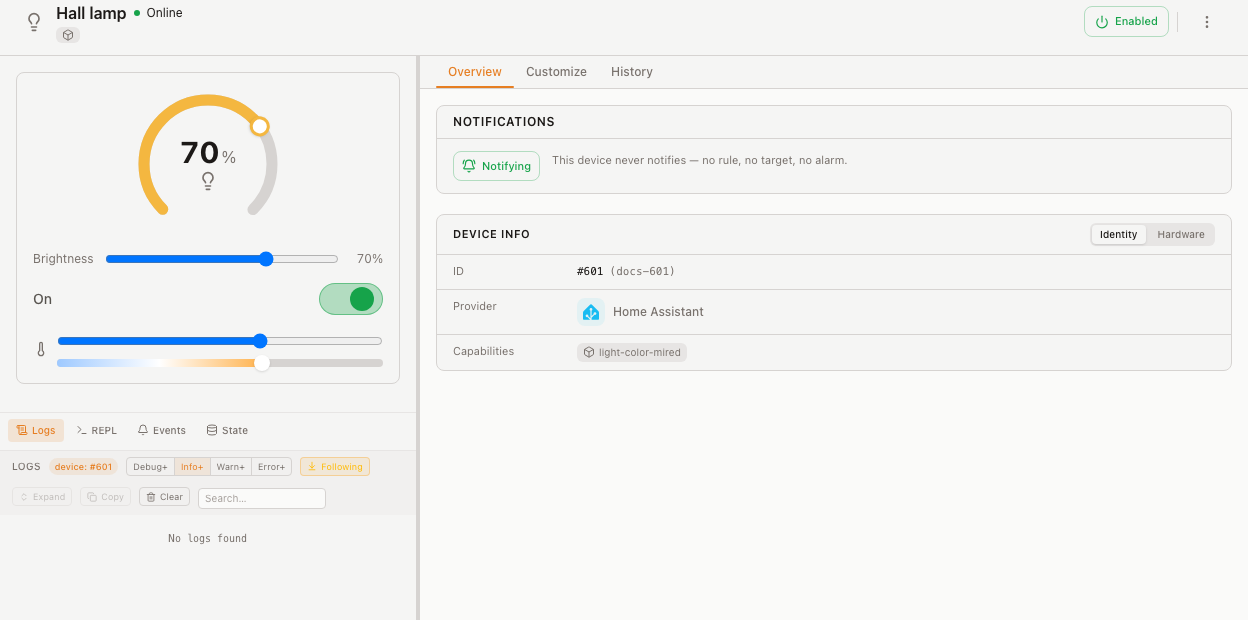
Hero card: a dial with the brightness, a brightness slider, an on/off switch and, for a light that supports colour temperature, a colour-temperature slider.
Switch
A switch is an on/off device that is not a light: a plug, a pump, a relay, a valve driver, or a feature toggle.
Provided by: Home Assistant, Homematic, ESPHome, Reolink, Tuya, VeSync, UniFi, Unraid, Gree, Bosch and Dreame.
Capabilities: Switch and Device status. A switch can also report power use when you add the Power and energy extra (see below).
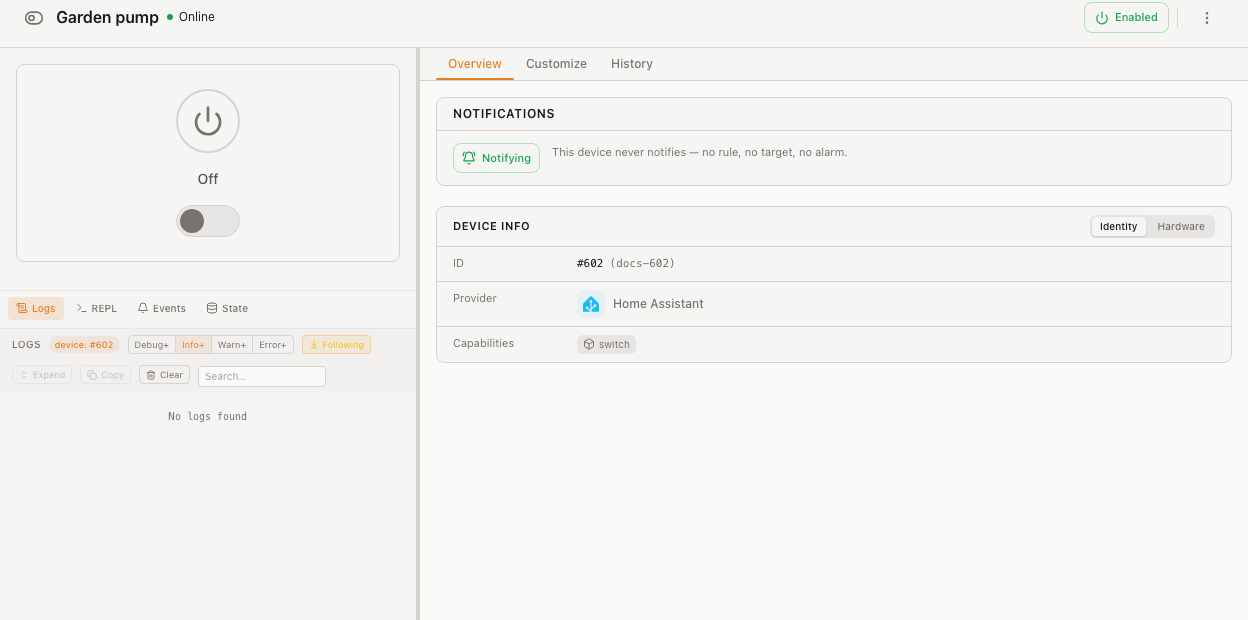
Hero card: a power symbol, the state and an on/off switch.
A switch can also be linked as the Power source of another device, so that device's page offers power on, power off and restart. The extra is added on the powered device, not on the switch; see the overview.
Not every switch can be switched. A switch says what it supports: on and off, a native power cycle, or both. A UniFi PoE port seen only through an API key is the example of a power cycle without on/off: its hero card offers no on/off, and a device powered by it restarts through one power-cycle call instead of off, wait, on. See UniFi.
Siren
A siren sounds an alarm. Hikvision and Reolink cameras with a siren expose it as its own device next to the camera; Home Assistant sirens import the same way.
Capabilities: Switch to start and stop the siren, so a smart-home exporter keeps seeing an on/off device. Hikvision and Reolink sirens also carry Siren, the timed part a switch cannot express:
- Sound for a duration. A trigger asks either a number of seconds or a number of plays, never both; with neither, the camera's own default applies. The value is snapped to what the camera allows: the nearest listed duration, or clamped into its range.
- The allowed durations come from the camera. A Hikvision camera counts seconds; a Reolink camera counts plays (how many times the alarm sound repeats) and Dominevo converts plays to seconds with a seconds-per-play factor. The options say whether their numbers were read from the camera or are a fallback because the camera did not answer, and whether the seconds-per-play factor is an estimate.
- Until when it sounds. The siren's state carries active until, the moment it is expected to fall silent. When the trigger was asked in plays, that moment is marked as an estimate.
- Silence it now with Stop.
In automations and notification rule actions this gives Sound the siren, Sound the siren N times (offered only on a siren that counts plays, with the counts the camera allows) and Silence the siren. A count asked of a siren that counts seconds is refused.
Where the camera's firmware supports it, a siren also carries Trigger on motion: a per-siren setting that sounds it when the camera sees motion. It stays a separate switch, independent of the siren's own on/off state. On Reolink it is the camera's siren-on-motion setting; on Hikvision it is the audio-alarm linkage of the camera's motion event.
Home Assistant sirens import as an on/off siren, without the timed trigger.
Hero card: the same as a switch, with a bell instead of a power symbol.
Customisations for this type
The Customize tab offers extras the device does not provide natively. For these types:
| Extra | Light | Switch | Siren |
|---|---|---|---|
| Power and energy | Yes | Yes | No |
| Battery | No | Yes | No |
| Power source | No | No | No |
- Power and energy adds watts, kWh, volts and amps taken from other devices you pick, so a plug's consumption shows on the device. It then appears in value history.
- Battery adds a battery level, for a switch that runs on a battery.
How each extra is set up is described in Customize. The full matrix is in the overview.
Setting up a rule on these types, for example "tell me when the garden pump turns on", is covered in Notification rules.
Cameras
The camera device type — which integrations provide cameras, the capabilities a camera can carry, its hero card, and where its type-specific settings are documented.
Sensors and inputs
The sensor, presence, weather, weather station, button and event emitter device types — providers, readings, hero cards and the settings specific to each.