

Share links
View-only links to a camera wall or an events feed for someone without an account — what they can see, expiry, and talk-back.
A share link lets someone without a Dominevo account watch a camera wall or browse an events feed — a neighbour, a family member, a wall-mounted tablet, a dashboard in an iframe. You create it in the Dominevo app:
- Grid → Share grid — a live camera wall.
- Events → Create embed link — an events feed for a dashboard or iframe.
What the link carries
The link contains a view-only access token (it starts with csv_) in the part
of the address after #, which browsers do not send to servers in requests or
logs. Anyone holding the link can use it until it expires.
The token is limited to:
- the cameras you shared — at most 64, and only cameras you can see yourself;
- what you shared them for — a camera-wall link can show live video and snapshots but cannot read event history; an events link can list events but cannot open live video. Neither can reach anything else in Dominevo.
- no talk-back — a shared link can watch and listen, never speak into the camera.
Event links show events without their thumbnails: a share token has no access to stored images.
Expiry
Choose 1 day, 7 days, 30 days or Forever when creating the link. Pick the shortest that works.
Home Assistant cards
Home Assistant Lovelace cards that embed a Dominevo grid or events feed mint their own share tokens. Those tokens last about three hours; the integration extends the same token on the hub before it expires, so you do not get a new Identity row on every dashboard refresh. You do not create them with Share grid — they show up under Share links while a card is in use. Revoking one stops that card until Home Assistant mints again.
Details: Outside services → Home Assistant.
Seeing and revoking your links
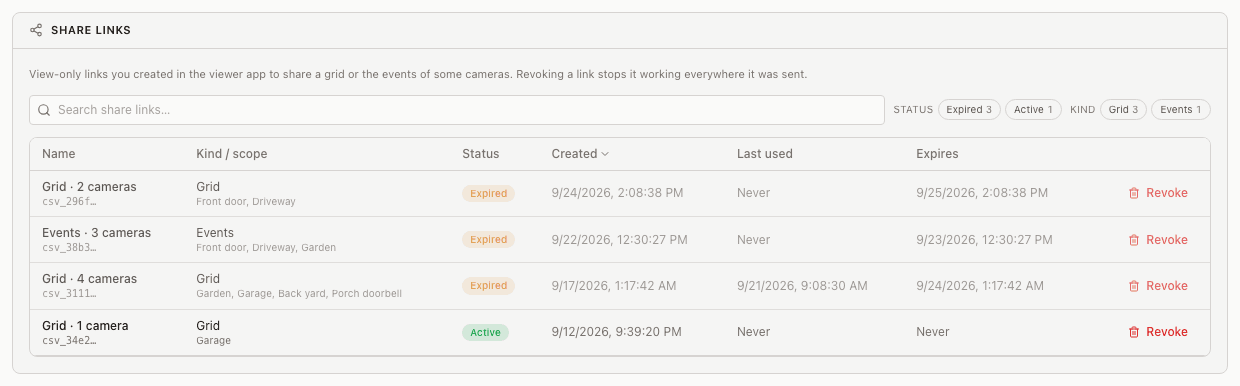
My access → Share links lists the links you created: what each shows
(camera wall or events, + talk when it was created with talk-back), its
cameras, its status, when it was created, when it was last used and when it
expires. Sort by any column, search, or filter by Status and Kind.
Revoke stops a link at once — a revoked link is deleted and cannot be
restored.
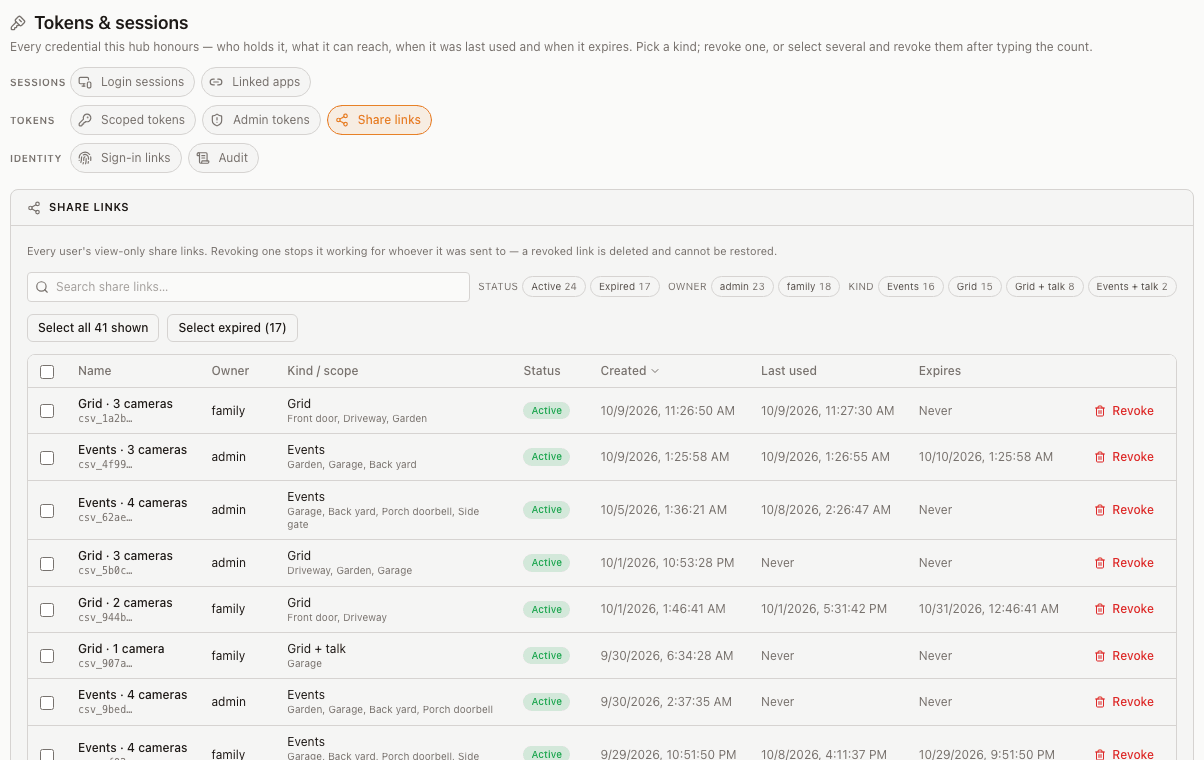
Admins see every user's links under Identity & Access → Tokens & sessions → Share links, with the owner on each row. There they can also clear many links at once — for example every expired one: Select expired, then Revoke N share links…, then type the number. See Revoking several at once.
Tokens
Every credential in one place — scoped tokens for scripts, admin tokens for maintenance, share links, linked apps, sign-in links, the authentication audit — and how to revoke one or several safely.
Outside services
How Home Assistant, Google and Alexa get access to your hub — account linking, scoped tokens, short-lived share tokens, and where each credential appears in Identity.