Cluster and server pages
Quick map of the Cluster and Administration sidebar entries in the Admin UI.
The Cluster section
| Page | Path | Use for |
|---|---|---|
| Nodes | /system/nodes | Nodes online, agents, versions, pairing |
| History | /system/history | Cluster history |
| Pipeline | /system/pipeline | Detection configuration: steps, models, which hardware runs them |
| Addons | /system/addons | Install / update features |
| AI | /system/ai | Cluster AI settings |
Administration
| Page | Path | Use for |
|---|---|---|
| Identity & Access | /system/identity | Users, tokens, share links, the sign-in providers (Authentication) |
| Network | /system/network | Local access, certificate, addresses and their roles, remote access, TURN |
| Connectivity | /system/integrations | Device exporters, email relays and message brokers, one integration at a time (?integration=<addon id>) |
| Data | /system/data | Storage locations, retention, Backup, Secrets (?tab=secrets) |
| Notifications | /system/notifications | Rules and targets |
| Calendars | /system/calendars | Calendar sources |
| System | /system/settings | Three tabs: Settings (site location, server, sign-in sessions, trusted networks, hub addon settings), Capabilities (?tab=capabilities, advanced) and API explorer |
| Logs | /system/logs | Log viewer and destinations |
| Terminal | /system/terminal | Terminal sessions and Terminal cameras, per node |
My access (/system/my-access) sits at the bottom of the sidebar, under
your user name: password, two-factor, passkeys, linked sign-in accounts, your
share links and your active sessions. Every user has it, admin or not.
The old addresses /system/secrets and /system/capabilities open the
matching tab of System.
Cluster
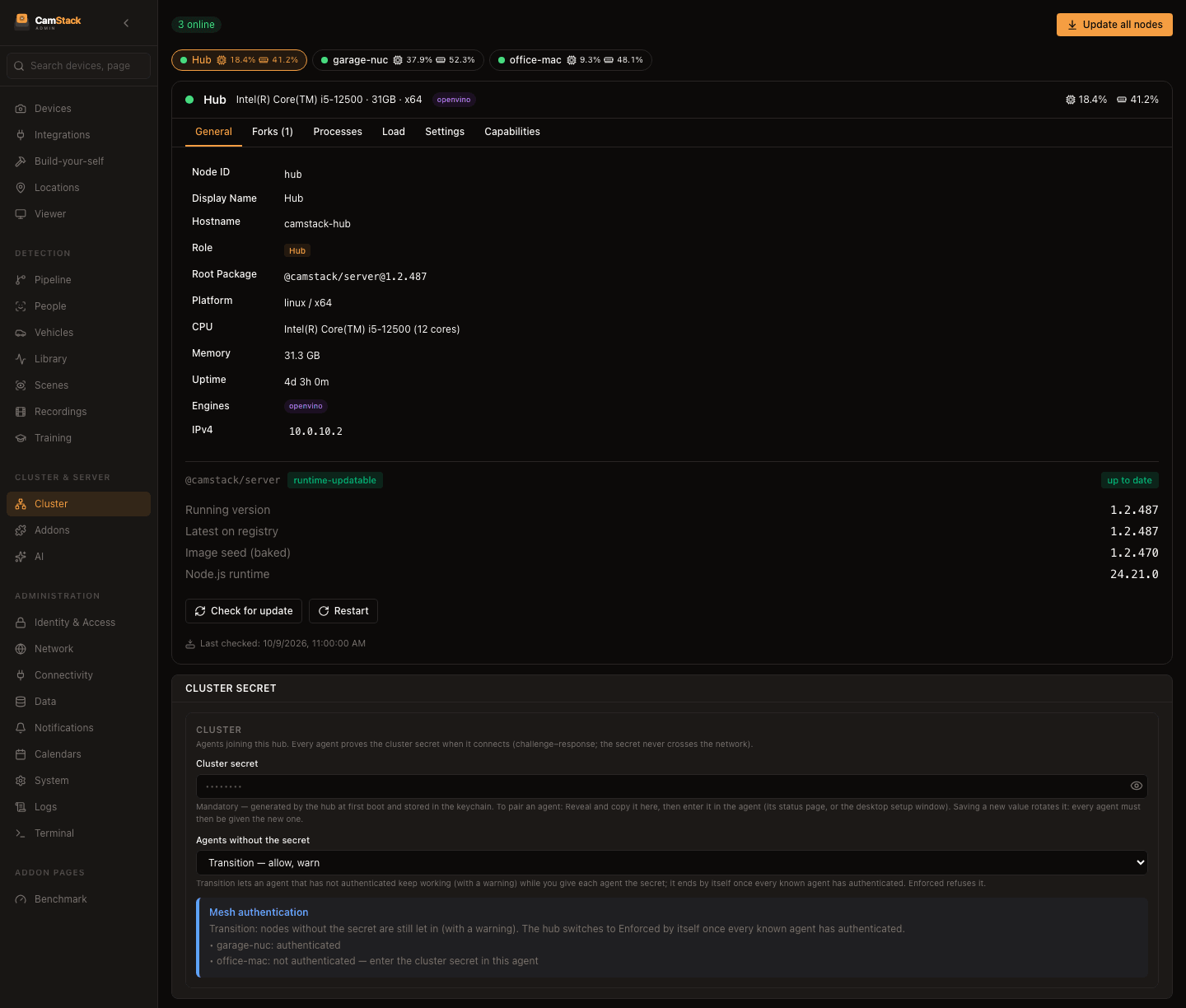
Agents found on the network lists the agents the hub can see, with their state, and is where you Pair or Unpair one (or Add by address). See Install an agent for the steps and Network and firewall for how trust works.
System
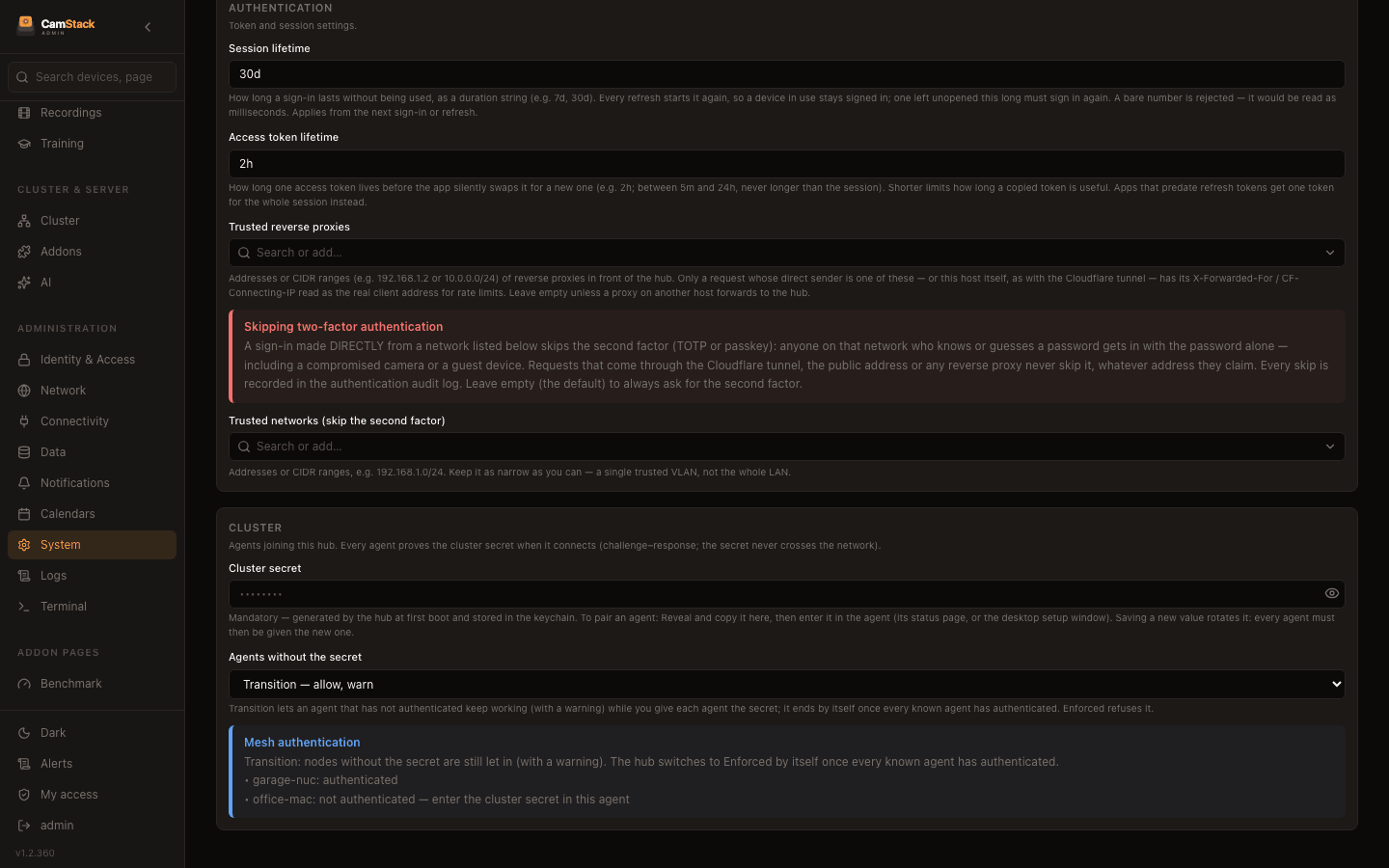
Settings gathers the hub-wide settings: the site location, then the hub's
own sections (Server, the port, host and data path, read-only: they are set by DOMINEVO_PORT, DOMINEVO_HOST and DOMINEVO_DATA;
Authentication, with session and access-token lifetime, trusted reverse
proxies, trusted networks and the allowed browser origins, see Sessions;
Cluster), then the global
settings of each addon installed on the hub.
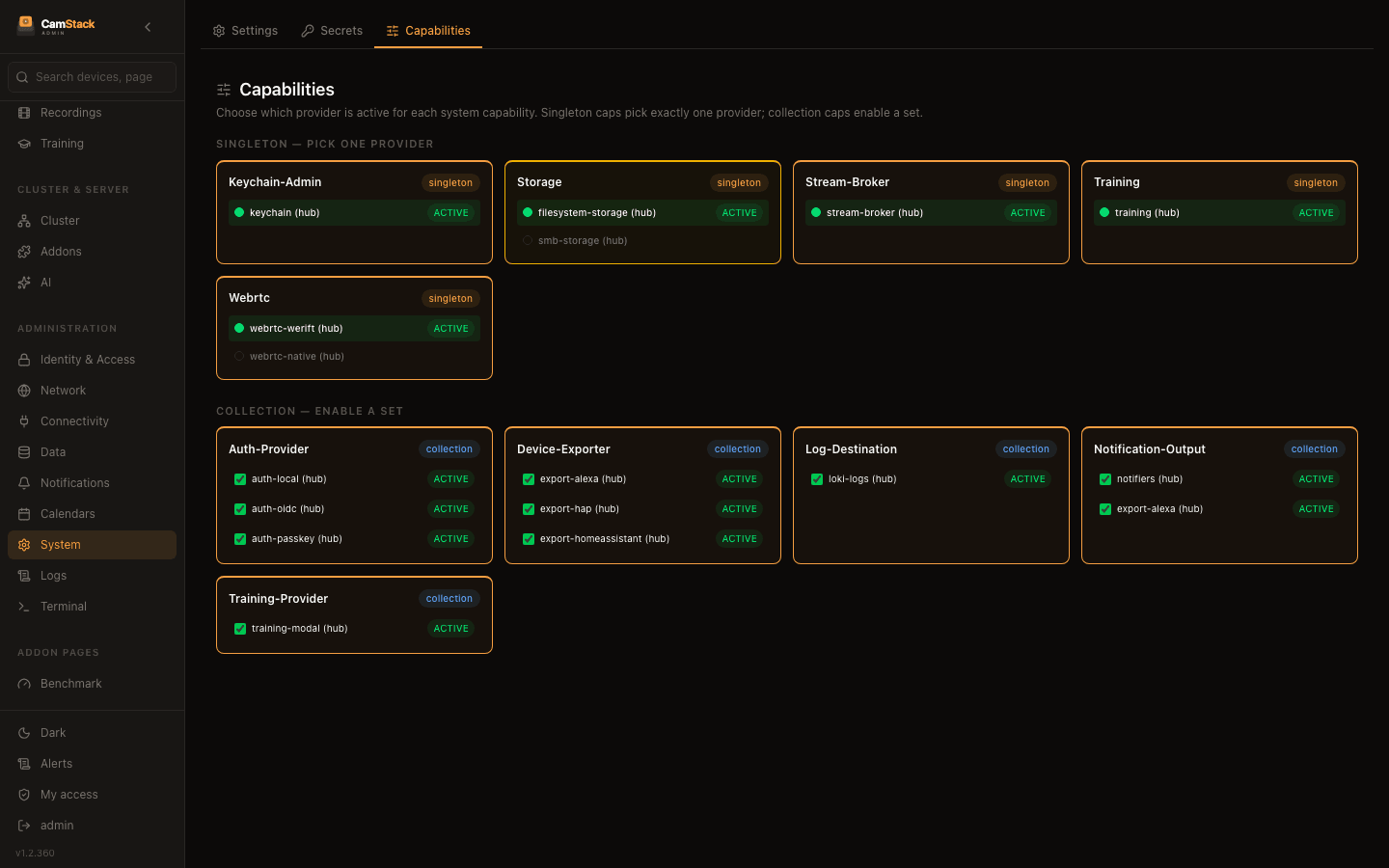
Capabilities shows which addon provides each system capability: one active provider for a singleton, a set of enabled providers for a collection. You rarely need it; integration pages switch providers for you.