

Targets
The channels a notification can go to — ntfy, Pushover, Gotify, Telegram, Discord, webhooks, Zentik, WhatsApp, Home Assistant and Echo — what each needs, what each can show, how to test one, and how to opt out of a rule.
This page shows you how to set up a channel, what each channel can display, and who can see its credentials.
The channels
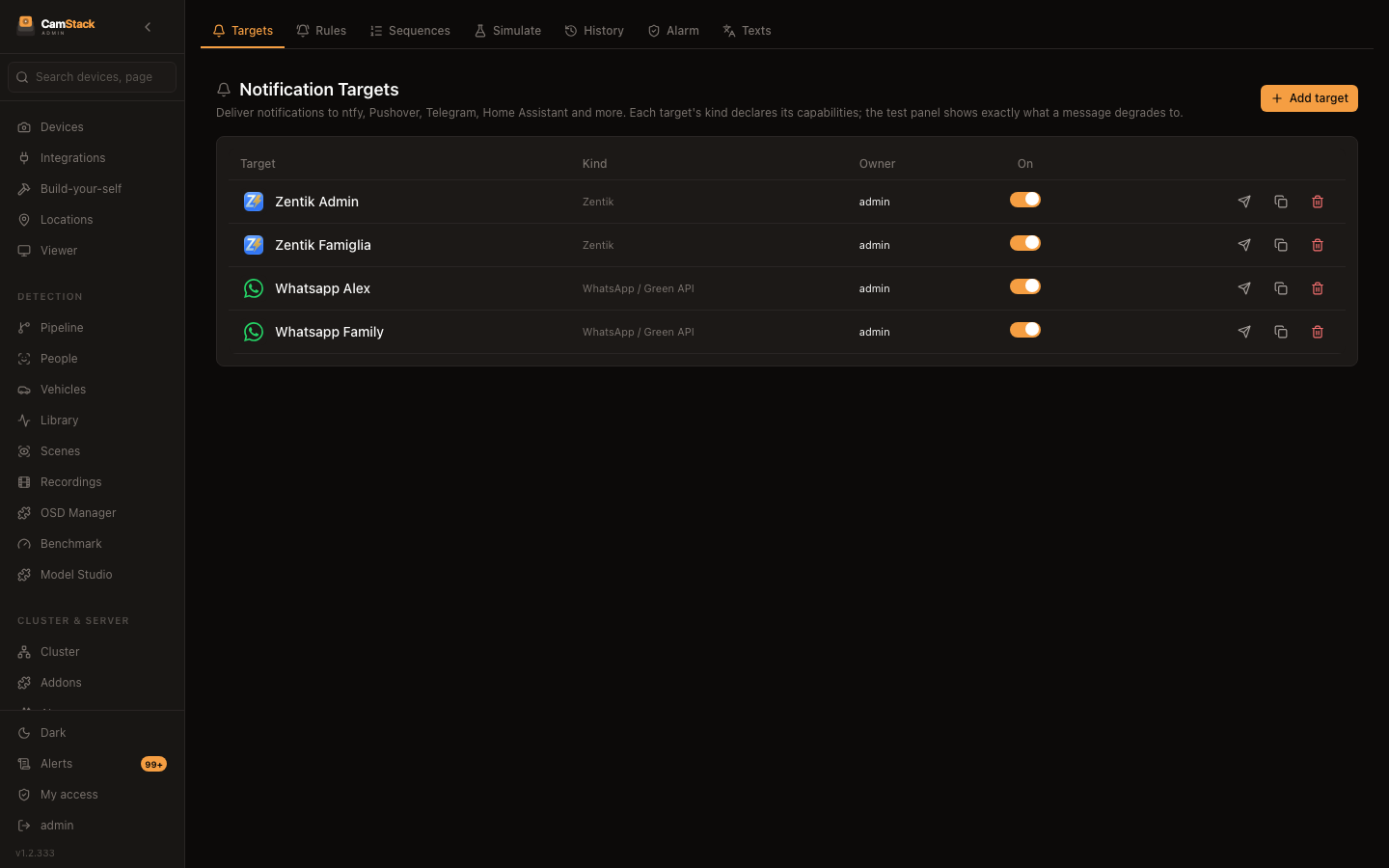
A target is one configured destination: my ntfy topic, the family Telegram chat, Anna's phone through Home Assistant. Rules point at targets; you set a target up once and reuse it everywhere.
| Kind | What you need | Pictures and video |
|---|---|---|
| ntfy | A topic (treat it as a secret — anyone who knows it can post). Optional: your own server URL, an access token or username/password, default tags. | One image, uploaded or linked. |
| Pushover | Application API token, and a user or group key. Optional: one device, a default sound, a default priority. | One image, uploaded, at most 5 MB. |
| Gotify | Server URL and an application token. Optional: client token, TLS verification, default priority, plain text or Markdown. | One image, as a link. |
| Telegram | A bot token (from @BotFather) and the chat ID. Optional: silent by default. | One attachment — image, GIF, video — up to 50 MB. |
| Discord | A channel webhook URL. Optional: display name, avatar. | Up to ten: images, GIFs, video. |
| Webhook | An endpoint URL. Optional: POST / PUT / PATCH, static headers. Receives a JSON body. | Links only. |
| Zentik | Access token and bucket, or a magic code. Optional: server URL, user IDs, delivery type. | Up to five — image and video together — as links. |
| WhatsApp (experimental) | A third-party WhatsApp gateway: Green API, WAHA or Evolution API. You must tick an acknowledgement first. | One image or video, as a link. |
| Home Assistant | The Home Assistant integration, and the name of a notify. service (use Discover to list them). | One image, as a link. Up to three buttons on Android. |
| Echo | Alexa Import, signed in on Integrations → Alexa. Pick a device or a group. Speak or announce, and the volume, are set on each rule. | Nothing. The rule text is read aloud, with markup removed. |
The first eight come with the Notifiers addon. The Home Assistant kind appears once the Home Assistant integration is installed and connected — see Integrations. Echo appears once Alexa Import is signed in — see Echo.
WhatsApp is experimental, and it breaks WhatsApp's terms. There is no free official notification API, so this drives a real WhatsApp account through a third-party wrapper. The number can be banned permanently. Use a dedicated number you can afford to lose.
Add one
Pick the kind
Admin UI: Administration → Notifications → Targets → Add target. App: Notifications → Targets → Add target. You get a list of every kind the hub offers.
Fill it in
Give it a name you will recognise in a rule, then the fields for that kind.
In the admin UI, some kinds offer Discover, which lists candidates (for Home Assistant, every
notify. service) — pick one with use.
In the admin UI you also choose the Owner: System (shared, admin-managed), or a user. A user-owned target belongs to that person: it shows in their app, and their own rules can deliver to it.
Test it
Press Test (admin UI) or Send test (app). Do not build rules on a target whose test did not arrive.
The admin test panel goes further: you can compose a message — level, format, title, click URL, sound, time-to-live — and it shows exactly what this channel would receive: the level it resolved to, the format sent, which attachments and buttons survived, and what was truncated or dropped.
A target can be switched off without deleting it. Off means nothing is sent to it by any rule, and the rules that name it keep working for their other targets.
A rule asks for everything; each channel takes what it can
You never write one rule per channel. A rule may ask for a still and a GIF and a clip, a priority of 5 and three buttons. At send time each target keeps what it can show and drops the rest — a text-only channel still gets the text, a channel with a length limit gets the message shortened, a channel with no priority levels gets its normal level. The admin test panel shows that result for any message you compose.
Priority 1–5 maps onto each channel's own scale: ntfy's min…max, Pushover's lowest…emergency, Gotify's native priorities, Telegram's silent, Home Assistant's default / high / critical.
Pictures need an address the phone can reach
Channels marked as a link above never receive the picture itself: they get a signed link to it, valid for 24 hours, and the phone then fetches it from your hub. If that link points at an address the phone cannot reach, the notification arrives as text only — while Telegram or ntfy, which receive the bytes, show pictures fine.
The address used is the Public endpoint in the Addresses table under
Administration → Network → Network Addresses: the address ticked there, or
automatically your Cloudflare Tunnel, then Tailscale, then a LAN address. The
Notification taps column does not change it. If the hub has no address other than
localhost, link-only channels get no media at all. See
Remote access for giving the hub a reachable
address.
An attachment larger than a channel's limit is dropped, not turned into a link: over 5 MB for Pushover, over 50 MB for Telegram.
Credentials
A target's settings contain secrets — bot tokens, API keys, passwords, and for Discord and webhooks the URL itself. These rules protect them:
- Only an admin can see or change shared targets. A non-admin manages only their own targets, from the app.
- The list never shows a secret. The target list and Discover results hide password fields.
- Edit and Duplicate load the real secret for an admin. Opening a target fills the secret fields as a masked value (dots) with an eye to reveal them. Leave the mask alone to keep the stored value; type a new one to replace it. Duplicate copies the stored secret into a new target so you do not re-enter the token. The edit dialog does not close if you click outside it — that would discard a half-edited secret.
- Changing where a target sends requires the secret again. Change a server URL, a chat ID or an instance, and the save refuses until you re-enter the token. A stored token never follows a target to a new host.
Who receives a rule
A rule reaches people in two ways, and you can use both:
- Delivery targets — the targets ticked on the rule.
- Notify users (admin UI, and admins in the app) — people, rather than channels. At fire time each chosen user receives it on the targets they own, and only for cameras that user is allowed to open. A user who cannot see a camera is never told about it.
Opting out of a rule
On the phone, a rule an admin created appears under Admin rules. You cannot edit it, but under it there is one Receive on … switch for each of your targets that it delivers to. Switch one off and that rule stops reaching that target; nobody else is affected. This is the way to stop an admin rule reaching your phone without asking for it to be changed.
Then
- Rules and triggers — what to send to these targets.
- The message — picture, clip, words and priority.