

Locations (rooms and areas)
Rooms and areas for devices — how they appear in lists, pickers, and notification rules. Not where recordings are stored.
Locations (/locations) group devices into rooms or outdoor areas. They do
not move hardware; they make the Admin and rules readable.
Looking for where recordings and event media are kept? That is Storage locations, a different page.
Open Locations in the sidebar.
Create areas that match how you talk about the house (Entrance, Parking, Hall, …).
On each device page, set Location to one of those areas.
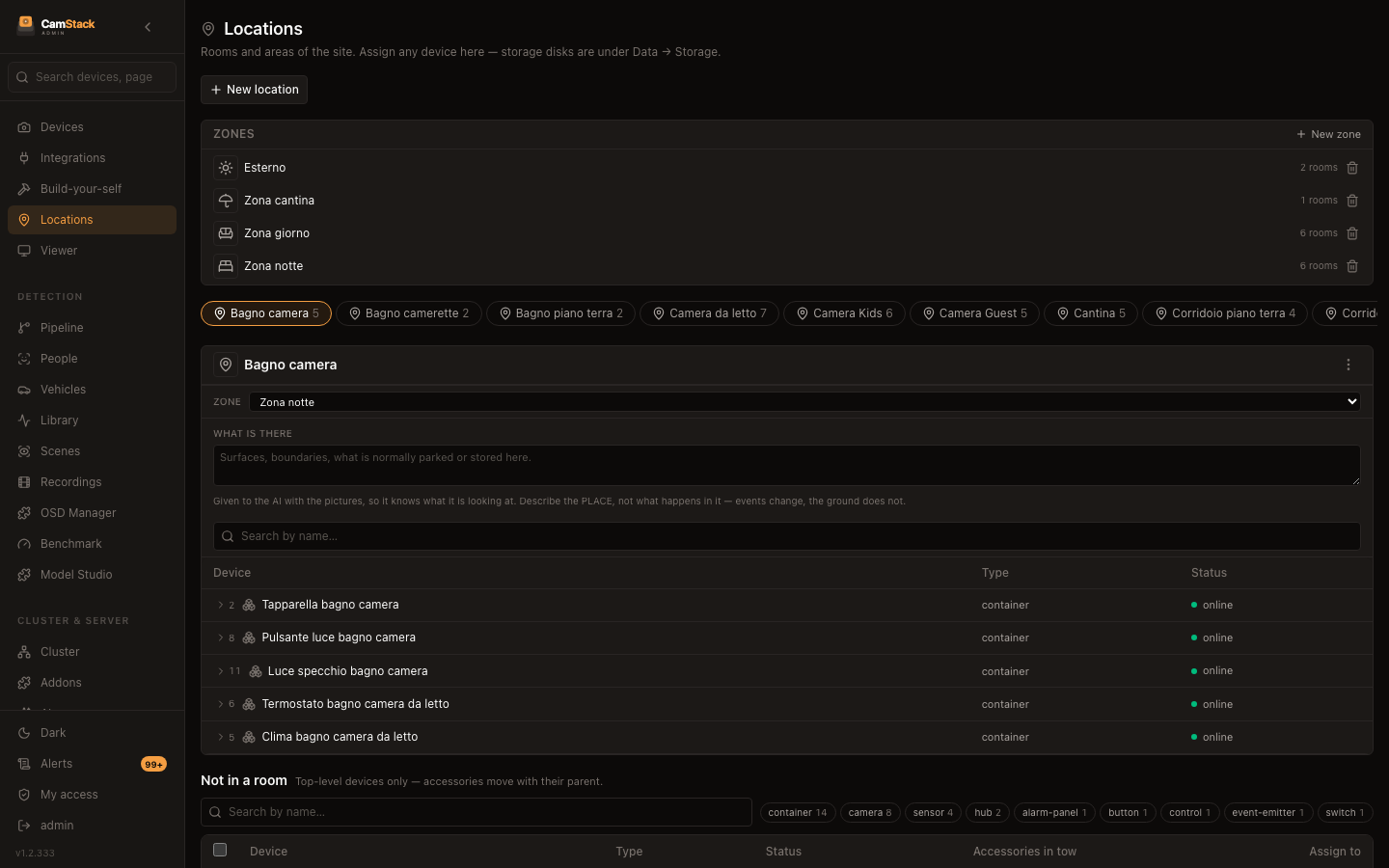
Same-location devices may be suggested when linking cameras to sensors or doorbells; Dominevo does not auto-link them without your pick.
Then
Add a camera
Adopt a camera from an integration, open its device page, and confirm live video before enabling recording or detection.
Planning your install
Four decisions to make before you install — how many cameras, what decodes them, what runs inference, where recordings live — and the RAM, CPU and disk a real install used.